Overview
Every account manager sees next year's budget during this year's site walks: the tree line that's declining, the irrigation zone that needs a retrofit, the entrance beds the client keeps asking about. Most of those observations live in someone's head until budget season — and then the budget becomes a memory exercise.
Property Command gives each property a running list of budget items and price recommendations. Capture the item in the moment, scope it to the whole property or a specific service, and it stays attached to the property record. When planning season arrives, you assign the budget worksheet as a task and the raw material is already there.
Captured items also make the rest of the system smarter: they travel with the property into renewal conversations, and Capsa's AI recommendations take your captured budget lines into account when suggesting next steps.
What You'll Need
- Access to Property Command in Capsa Intelligence
- Permission to record budget items and price recommendations on properties
- A team habit worth agreeing on up front: budget items get captured during the visit, not from memory later
Open the Property When You Spot Something
From Property Command, open the property you're reviewing or just walked. The property view holds everything your team knows about the account — health, notes, upcoming work — and its budget items live alongside so the observation lands with the account, not in a side spreadsheet.
Record the Budget Item Where It Belongs
Add the item and scope it to where the money will actually go: the whole property, a division, a service type, or one specific service. A dying tree line might be an enhancement item for the whole property; a mowing crew's persistent overage might be a price recommendation scoped to that service.
Write it for your future self
“Replace 12 declining arborvitae along north fence, client aware, rough estimate $6k” is a budget line. “Trees” is not. Six months from now, the detail is the difference between a budget and a guess.
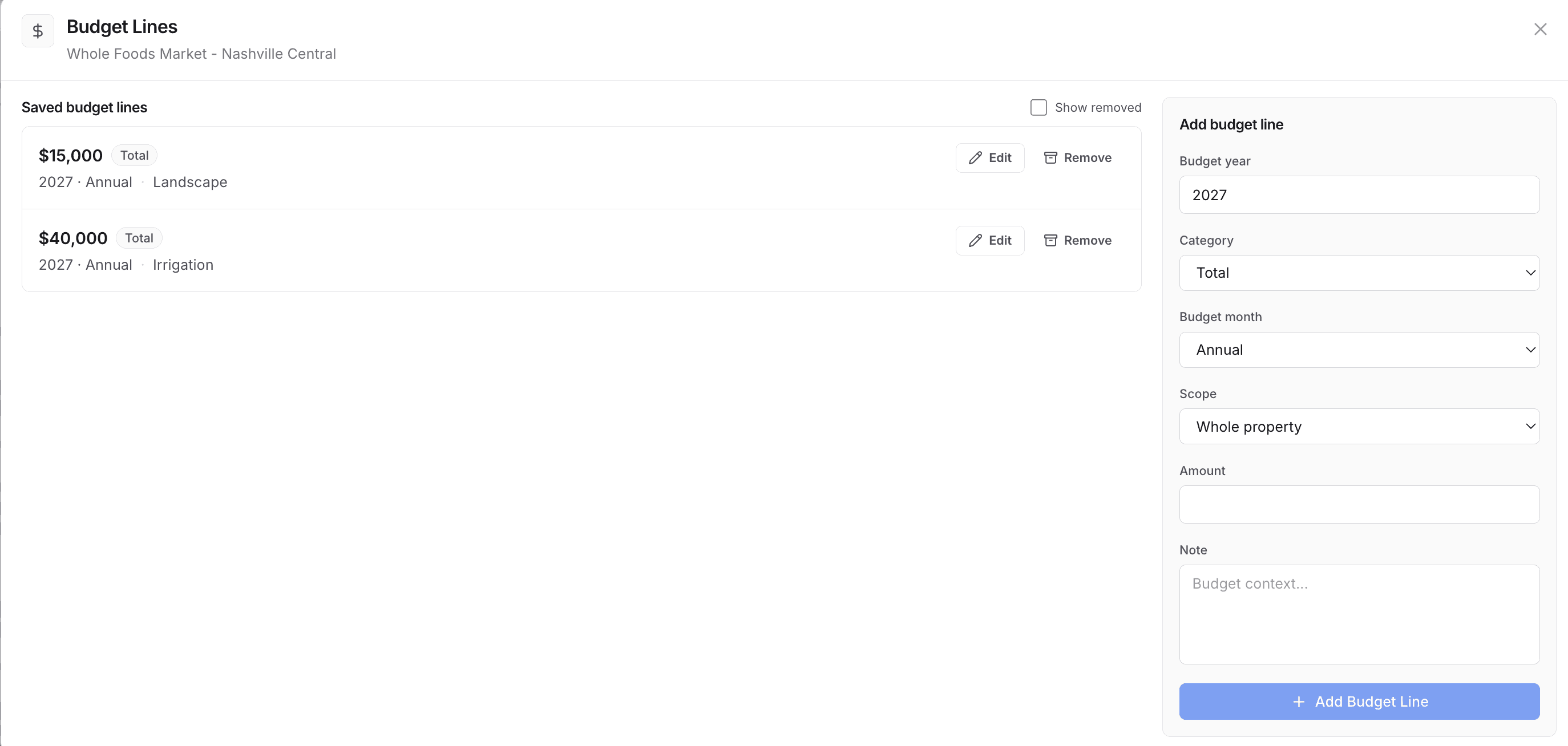
Each property keeps a running list of budget lines. Add the item, scope it to the whole property or a specific service, and it stays attached to the account until planning season.
Capture Price Recommendations Alongside
When the observation is about pricing rather than new work — a service that's underpriced for the site conditions, a scope that grew without the contract following — record it as a price recommendation on the same property. At renewal time, pricing decisions start from a season of documented evidence instead of a negotiation-week scramble.
Turn the List into Next Year's Budget
When planning season starts, schedule the budget worksheet for each property as a task — set the due date, assign it to the account owner or the person building the budget, and the year's captured items become the working document. Nothing gets rebuilt from memory; the team reviews, prices, and decides.
Best Practices
- Capture during the site walk, not after. Pair this habit with your recurring site-walk cadence — the walk finds the item, the property record keeps it.
- Rough numbers beat no numbers. An order-of-magnitude estimate captured in June is more useful than a precise one invented in November.
- Skim budget items in monthly account reviews. A two-minute pass keeps the list honest — mark what's been handled, refine what's coming.
- Bring the list to the renewal conversation. Documented site needs and price recommendations turn a renewal from a discount discussion into a plan for the property.