Overview
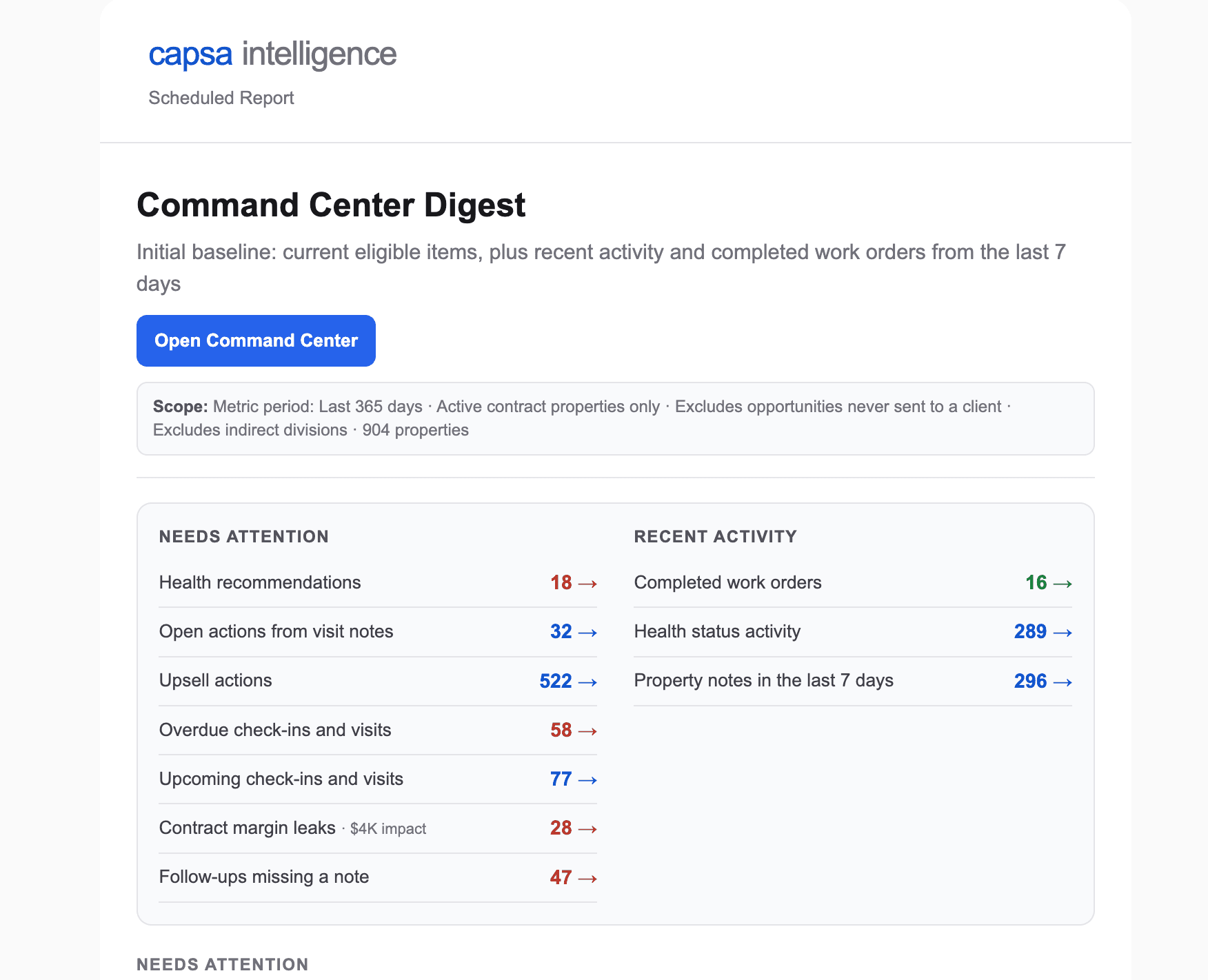
An operating rhythm only works if it starts on time. The Property Command digest is the starting gun: a recurring email that gathers what changed across your book — properties losing margin, invoices going past due, visit notes waiting on follow-up, health statuses that moved — and puts it in front of the people who can act.
Every item links into Property Command with the right view already loaded, so the distance from “saw it in my inbox” to “working the list with my team” is one click.
Owners and branch leaders use the digest to decide where the week's attention goes. Account managers use the same sections as their personal triage queue. Because everyone starts from the same email, the Monday conversation starts from the same facts.
What You'll Need
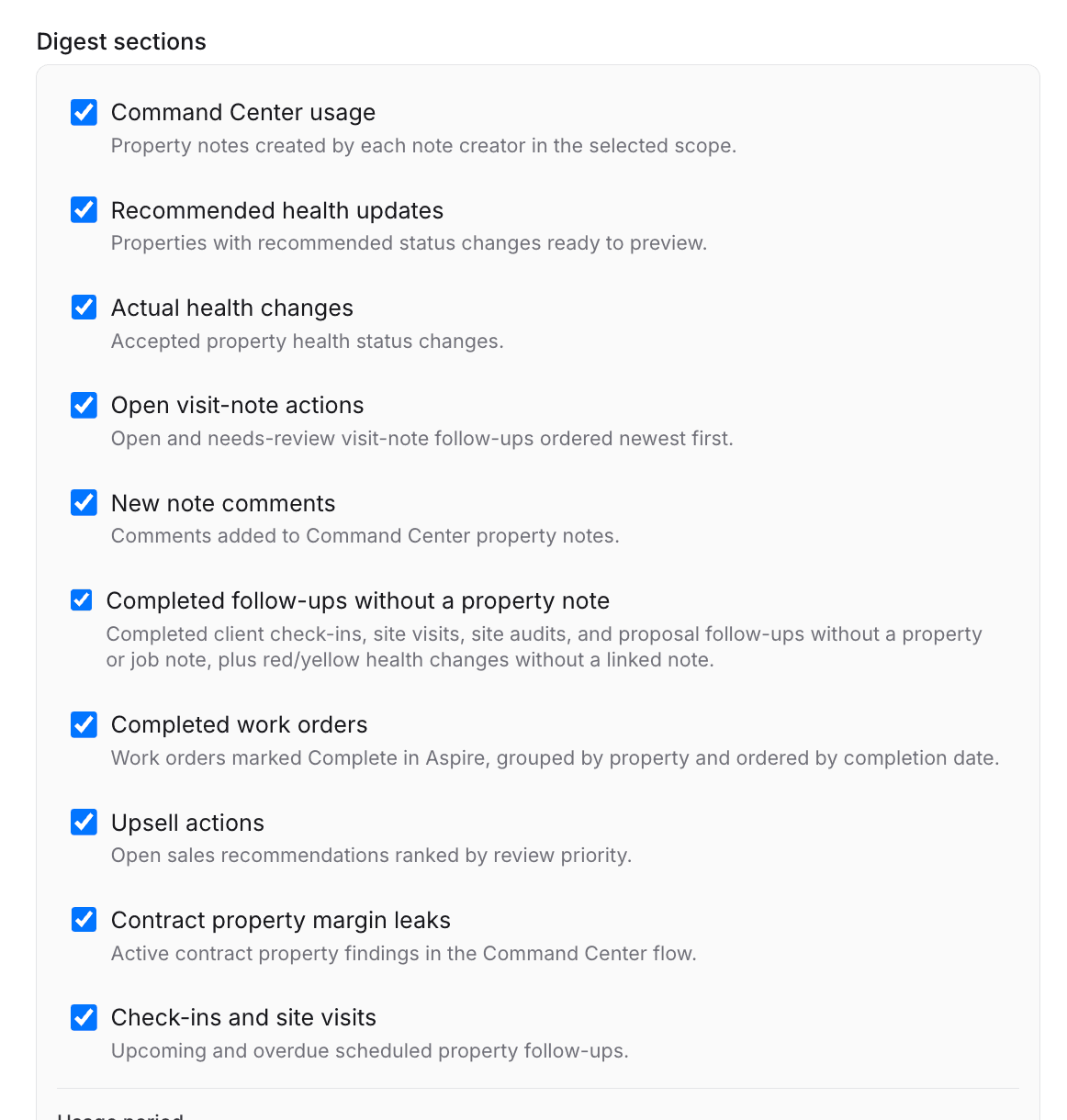
- A scheduled Property Command digest. If you still need to create one, follow How to Schedule the Property Command Digest
- Access to Property Command so the links land you in the working view
- An agreed time to act on it — the digest works when it opens a standing account conversation, not another unread email
Read It as a Triage List, Not a Report
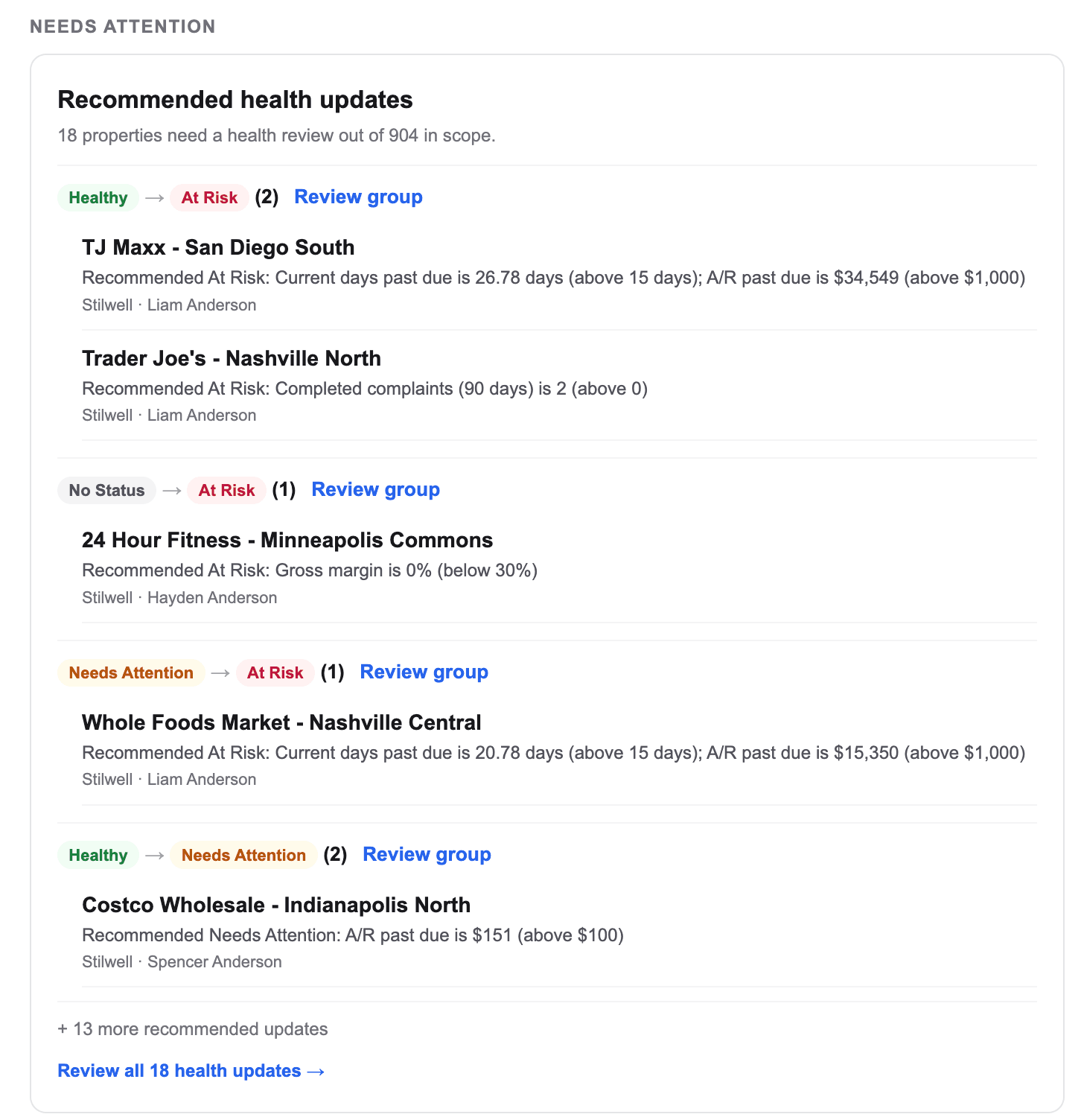
The digest is organized by signal: margin risk on active work, past-due A/R, open visit-note actions, and property health changes. For each section the question is the same — does this need someone this week, and who? You are not studying numbers; you are routing attention.
Fifteen minutes, same time every week
Most teams read the digest Monday morning before the account or operations meeting, and bring it to the meeting as the shared agenda.
Click Through to the Working View
Each digest item opens Property Command already focused on the properties behind the number — the margin review queue, the past-due list, the open visit-note actions. Decide the next step there, where the full property story is: recent notes, health, upcoming visits, and who owns the account.
Close the Loop on the Property
When an item gets handled, leave the decision where the next person will find it: a note on the property (notes sync with Aspire in both directions) or a task for the owner. Next week's digest then reflects real progress instead of re-surfacing the same items.
For Leaders: Watch the Rhythm, Not Just the Items
After a few weeks, the digest tells you something bigger than any single item: whether the operating rhythm is working. Are visit-note actions getting owners? Is the same property showing up in margin risk every week? Is one branch's past-due list shrinking while another's grows? Coach on the pattern — the items will follow.
Best Practices
- Anchor it to a meeting. The digest before the meeting, the meeting works the digest. Rhythm beats reminders.
- Get it to the right inboxes. Owners and branch leaders for the portfolio view; account managers for their book. If someone routinely forwards it, they should be receiving it.
- Don't let items age two weeks. If the same item arrives twice with no note or task on the property, that's the signal to reassign or escalate.