Video Walkthrough
Overview
Visit notes often contain the first sign that a property needs attention: a crew could not complete work, a customer concern surfaced, or a recurring site condition needs follow-up. Property Command helps branch leaders and account managers review those items in the same property list they already use to manage account health.
The goal is not to read every note. The goal is to work from a focused queue of open visit-note actions, decide what needs ownership, and keep everyone aligned on whether the next step belongs with the branch, the account manager, or the team member assigned in Aspire.
This is a breakout workflow from the broader AI Notes playbook. Use that larger guide when you also want to manage margin risk, sales recommendations, stale actions, and AI training notes.
What You'll Need
- Property Command access with the AI Notes column visible
- A filtered property list for the branch, account owner, or review group you manage
- A shared rule for when to mark an item resolved, create a task, or create an issue in Aspire
Who Uses This Review Queue
Owners
See whether branches are keeping field follow-up current across the portfolio.
Branch leaders
Review service-note follow-up, assign operational work, and keep recurring property issues from lingering.
Account managers
Decide which items need customer context, a follow-up task, or an Aspire issue for someone else to own.
Open AI Notes From the Column Header
Start by narrowing Property Command to the properties your team can actually act on. Then find the AI Notes column and select the small info icon next to the column name. That opens the AI Notes help where you can choose which signals should drive the review.
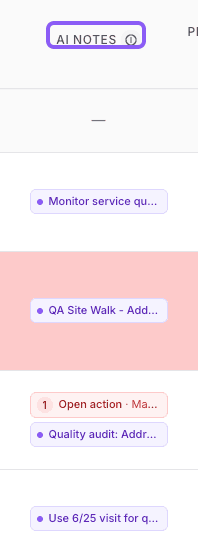
Use the info icon beside AI Notes to open the review controls.
Open the AI Notes help first
The controls are attached to the AI Notes column header, so you can stay in the same Property Command view while setting the review lens.
Keep the open-only focus on
Leave Show only visit notes that need attention turned on. Handled visit-note items stay out of the queue, so the list stays focused on work that still needs a decision.
Sort by Visit notes
Choose Visit notes when the review is about field follow-up. Property Command will prioritize properties with open visit-note actions before you move on to margin leaks or sales recommendations.
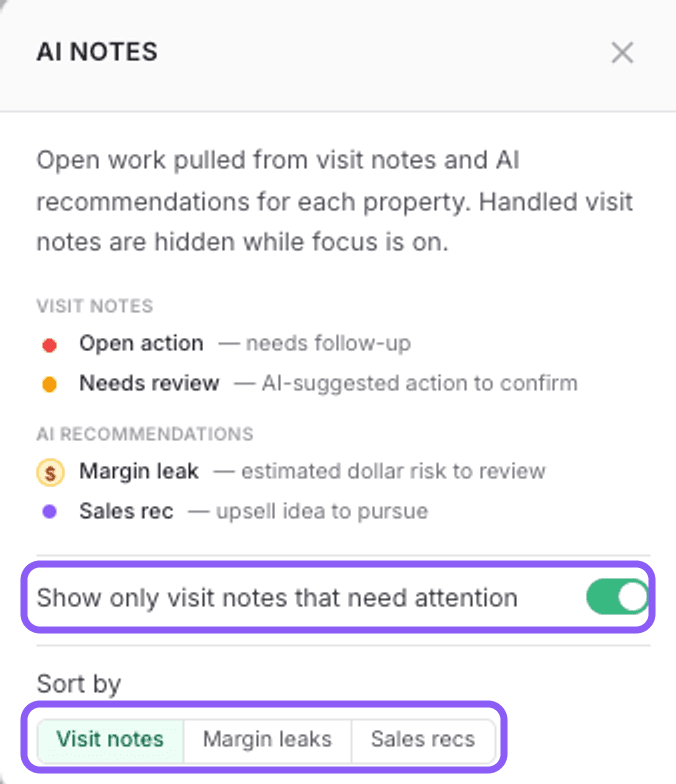
Work the Queue From the Top
Once Visit notes is selected, the AI Notes column becomes a practical review queue. Properties with open visit-note actions rise to the top, so a branch leader or account manager can start with the items most likely to need a next step.
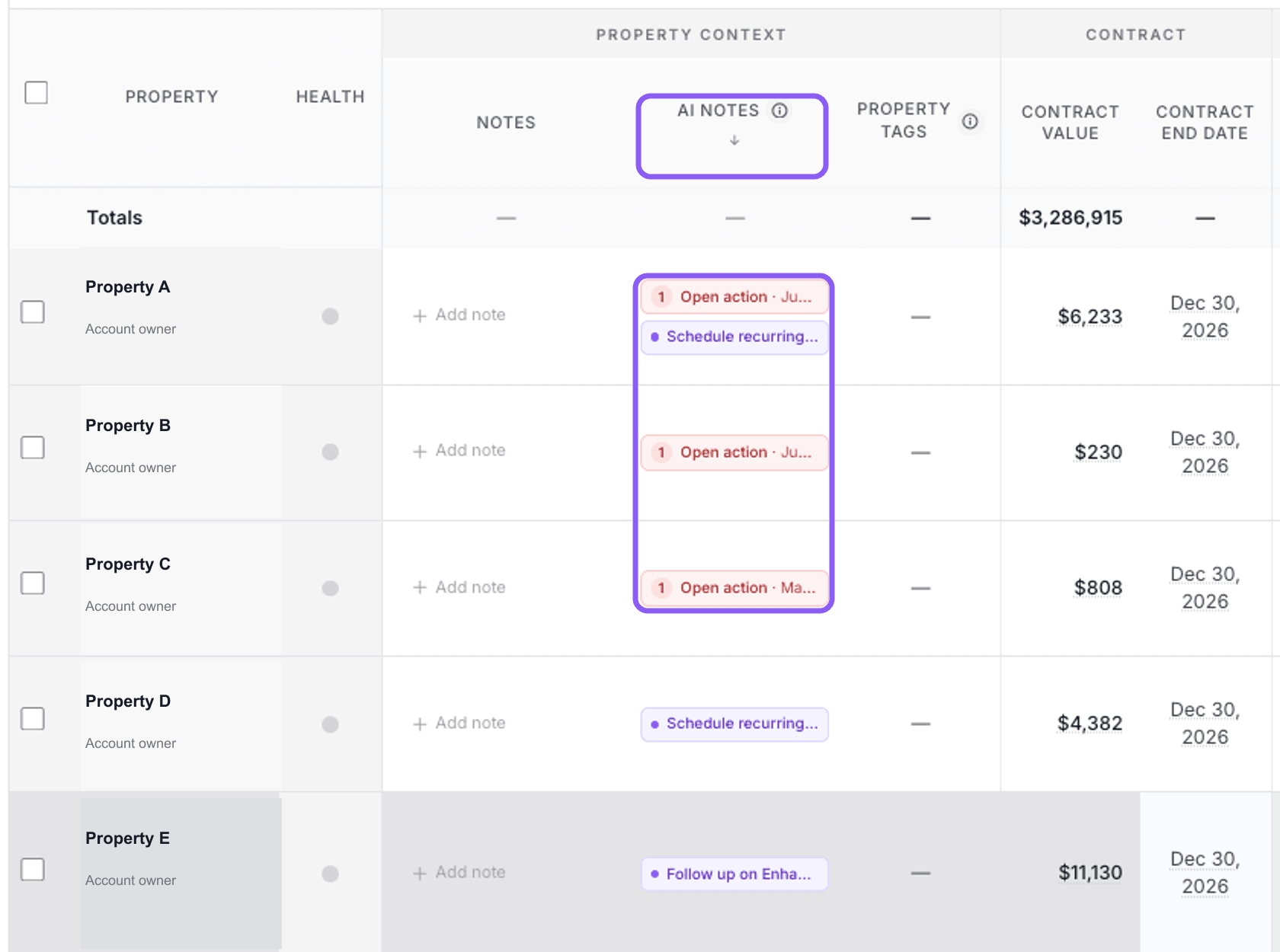
Treat the red open-action items as the first pass. Other AI Notes can still provide context, but the review starts with visit-note follow-up that has not been handled yet.
Choose the Right Outcome
Open each visit-note action and decide what should happen next. The best branch reviews keep this part simple: resolve what no longer needs attention, create a task when one person needs to follow through, and create an issue when the work should be tracked in Aspire.
Mark resolved
Use this when the team already handled it or no further action is needed.
Create task
Use this when a specific person needs a clear follow-up step.
Create issue
Use this when the work should be owned and tracked in Aspire.
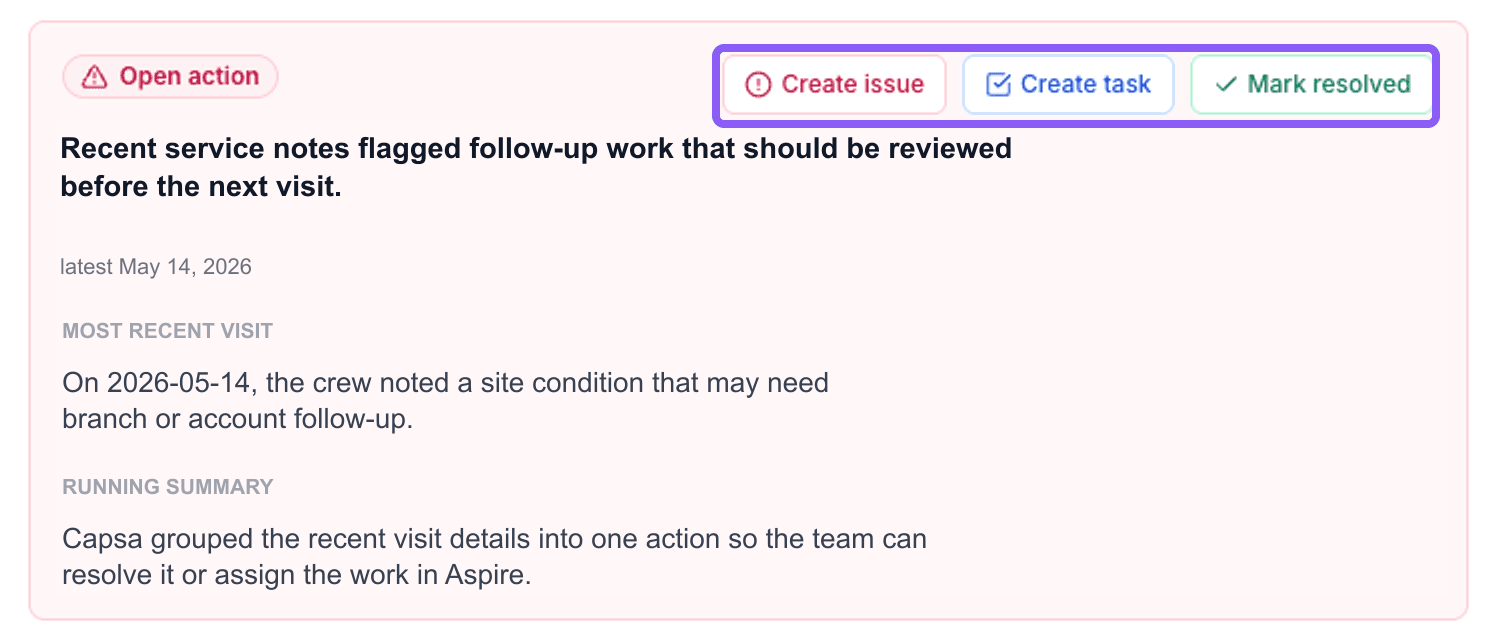
When a task or issue should be owned outside Property Command, keep the Aspire creation option on so the follow-up is assigned and tracked where the team already works.
Recommended Review Rhythm
- Daily: Account managers scan their own open visit-note actions and clear or assign anything urgent.
- Weekly: Branch leaders review the branch queue, confirm ownership, and make sure open actions are becoming tasks, issues, or resolved items.
- Monthly: Owners look for branches or account groups where open visit-note actions are accumulating and coach the operating rhythm.
Best Practices
- Filter before reviewing. Work a branch, account owner, or review group so every open item has an obvious owner.
- Keep resolved items out of the queue. The open-only focus makes the review useful because leaders do not have to sort through work that has already been handled.
- Do not resolve real work just to clean the list. If someone needs to act, create a task or issue so the next step is visible in Aspire.
- Use the full AI Notes playbook for the rest of the column. Visit-note review is one workflow. Use Manage AI Notes in Property Command for margin risk, sales recommendations, stale actions, and AI training notes.